
A free camera game for kids
Move your hands. Make some music.
Open the camera, draw a sound area, and move a hand into it to hear it. No special mat, no sensors, nothing to buy.
No account · No ads · Works in your phone’s browser
A little movement. A whole lot of music.
Start with drums, discover animal sounds, or add a silly voice of your own.
- Animal soundsQuacks like a duck

- Big surprisesRoars like a lion

- Your own recordingSays hello in your voice

 Just your phone and your hands
 Camera video never leaves your phone
 Nothing to buy
Your first sound, step by step
Take a quick look together. Then open the game and give it a go.
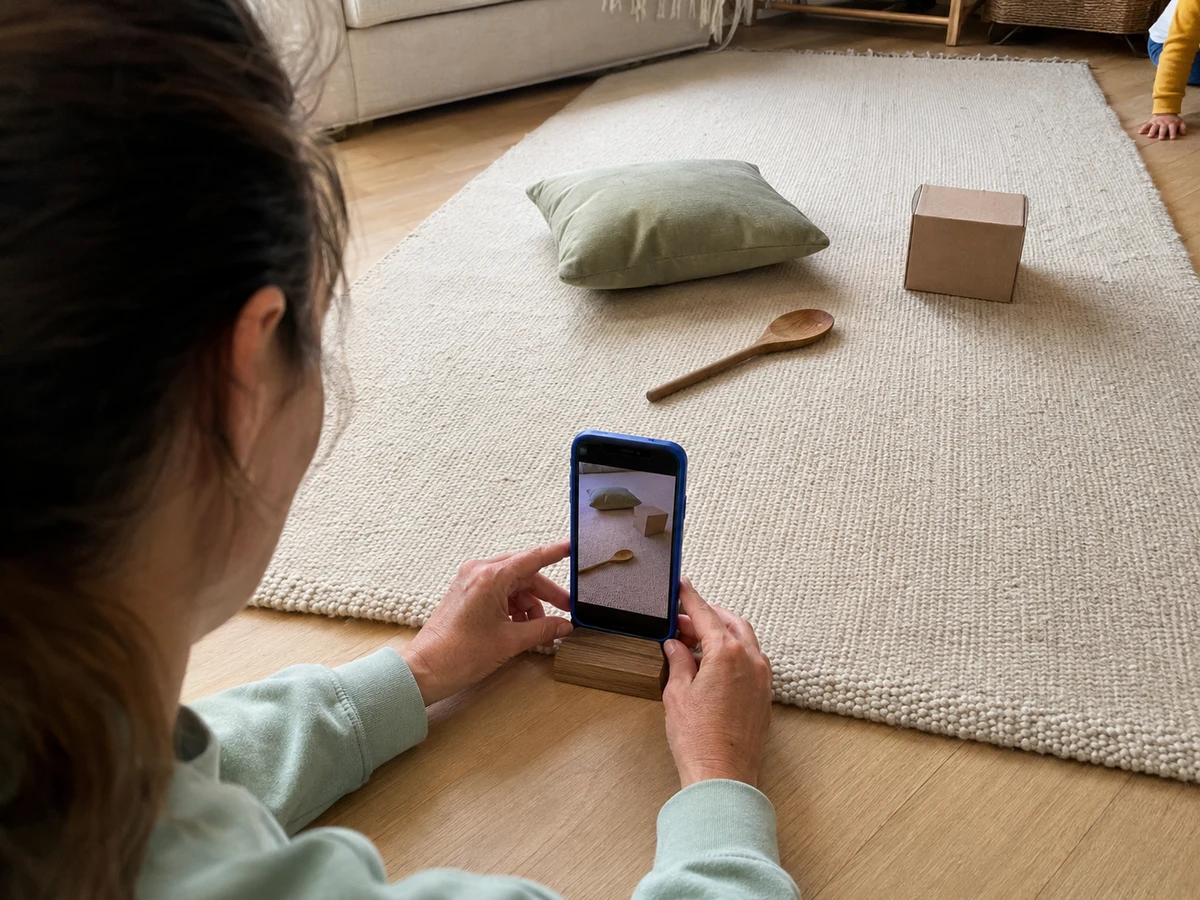
First, find a good spot
Prop up your phone
Open the app and allow camera access. Prop the phone up so your hands and some space around them are on screen.
Keep the phone still and leave room to move.
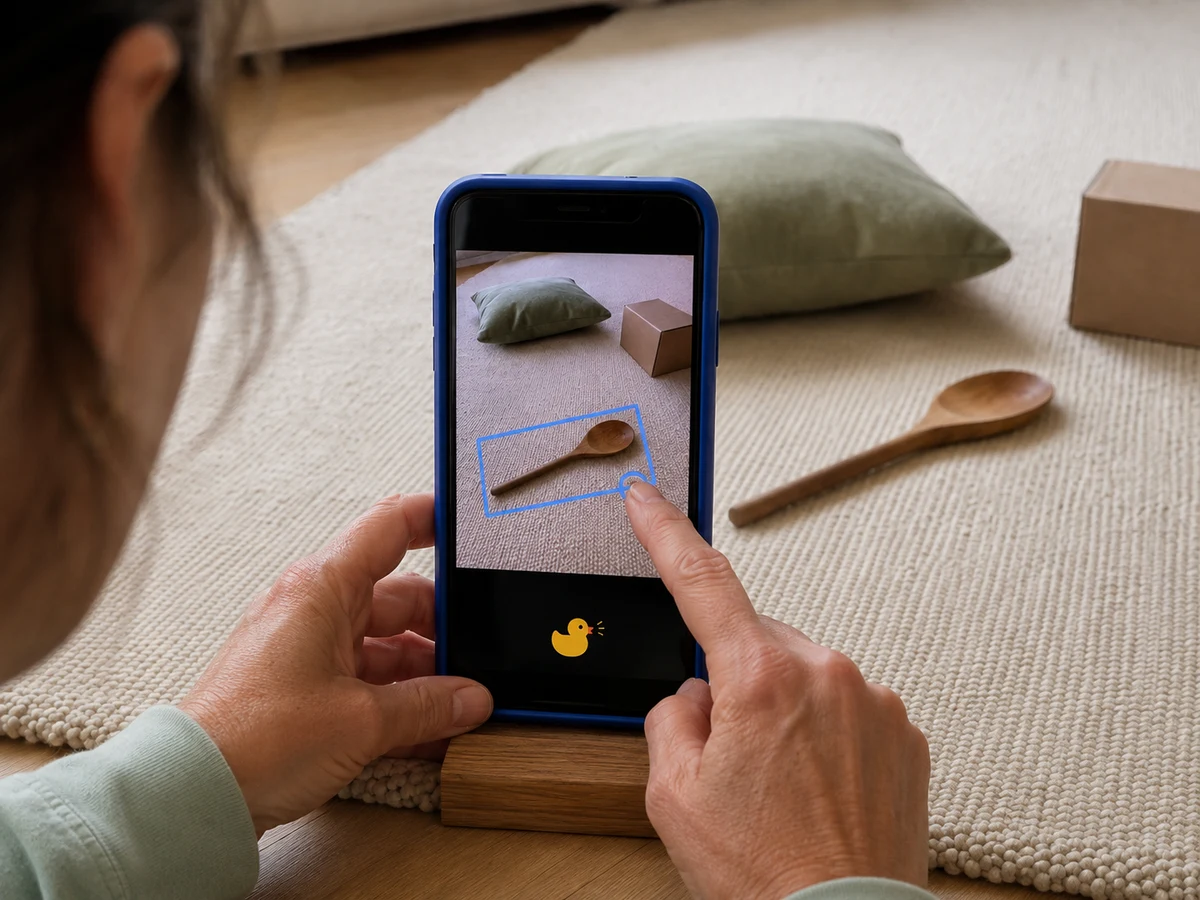
A little swipe, a new sound
Tap and drag to draw an area
Drag your finger across the camera view to draw a sound area. It plays a drum as soon as you lift your finger. Tap the area to change its sound.
Your sounds and positions are remembered for next time.
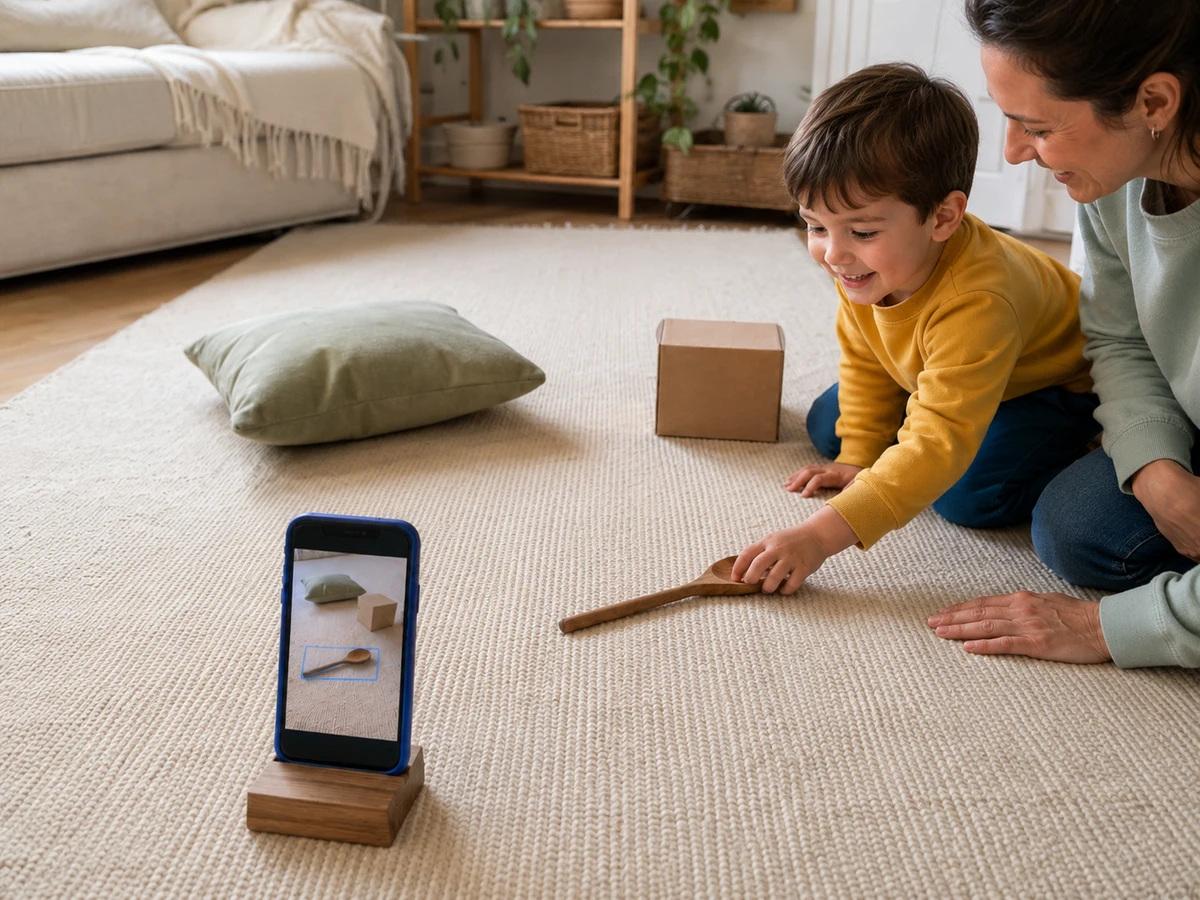
Now it’s your kid’s turn
Move a hand into a sound spot
Move a hand into a spot to play its sound. Move out, then back in for the next beat.
Here’s one of your first drum sounds.

You’re ready to play together
Take turns making a rhythm, add another sound, or see what your kid comes up with. Tap Dim if you want less screen and more play.
Play freeA parent sets up. Everyone gets a turn.
48 sounds in six packs
Tap a pack to hear a sample. Four packs are ready from the start, including Melody & Groove. More sounds unlock as you play.
Four packs are ready to play. Animal and magic sounds unlock as you go.
Ways to play
There’s no wrong way to play. Follow your kid’s lead, or try one of these.
Start a band
Choose three sounds. Take turns being the conductor and point at which spot plays next.
You need: three sounds and a band name.
For parents
It’s free, nothing is uploaded, and a parent runs the setup. Here are answers to the usual questions.
Read our privacy policy
Is this an app or a physical mat?
It’s a free web game, not a physical mat. Your phone’s camera watches for hands entering sound spots, and its speaker plays the sounds. There’s nothing to buy.
Is it free? Do I need an account?
Yes. It’s free to play in your browser, with no ads and no account to create. Four packs are ready from the start, including Melody & Groove. More sounds unlock as you play.
What happens to the camera video?
Camera frames are processed on your device and never uploaded. If you record a clip of playtime, it stays on your phone unless you choose to share it.
Can we record our own sounds?
Yes. Open the Sounds panel and choose Record my own sound to record a short voice clip. Try a funny word, a family catchphrase, or your best dinosaur roar.
Which phones does it work on?
A phone with a camera, in Safari or Chrome. Open the game, allow camera access, and prop the phone up. A parent props up the phone and stays nearby while kids play. iPhone and Android apps are coming soon.
See it in a real living room.
Ready to try it?
Draw a sound area. Make your first beat.
Play freeFree in your browser. No account needed.